IP Info Widget
IP Info widget (Home screen) feature ပါဝင်လာပြီဖြစ်တဲ့ Check Info Version 2.4.4
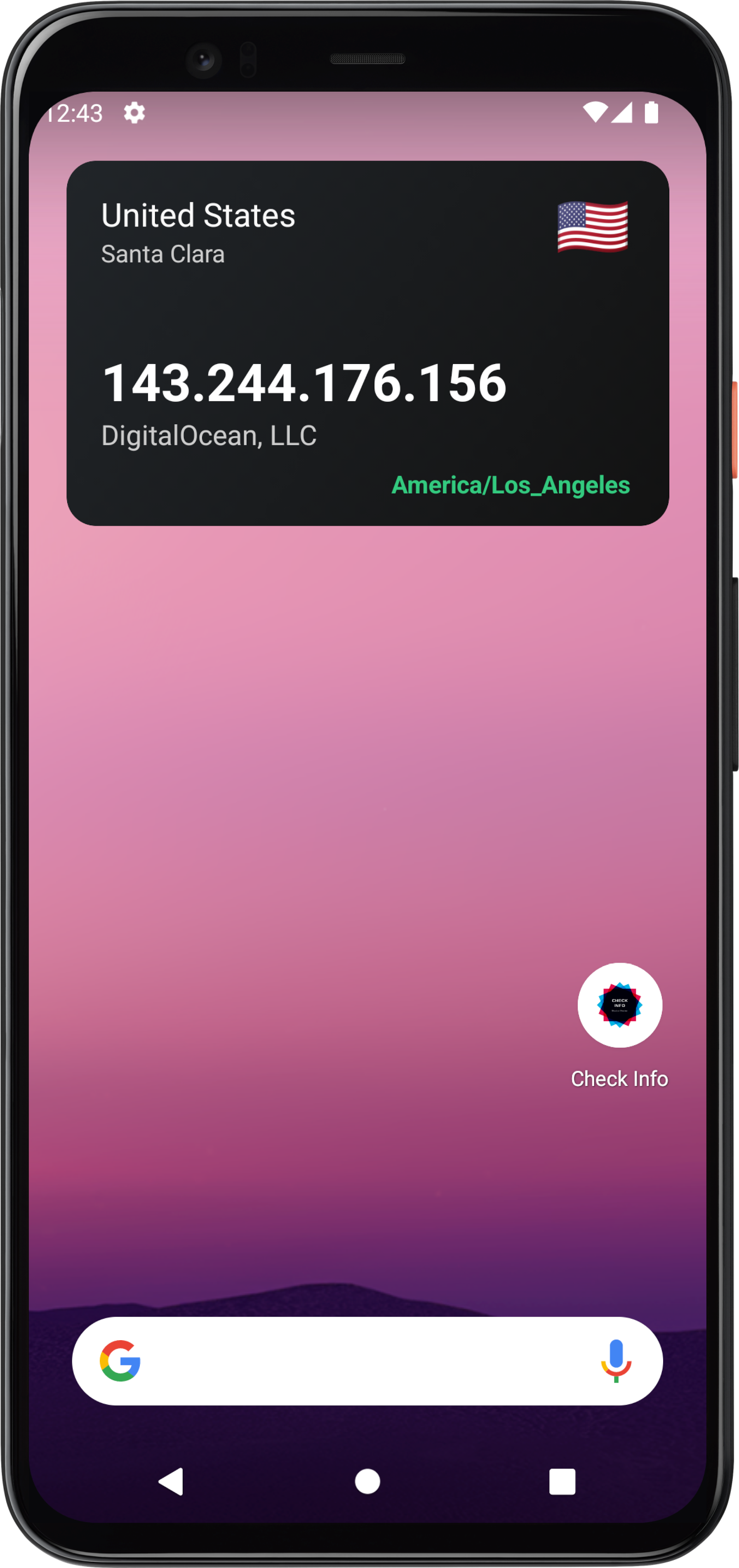
ကိုယ်သုံးနေတဲ့ network ရဲ့ IP address info တွေကို အလွယ်တကူ Home Screen ကနေပဲ ကြည့်ရှုလို့ရအောင် ရေးသားပေးထားပါ။ (App ထဲဝင်ဝင်ကြည့်စရာမလိုတော့)
Widget ထဲမှာပြသထားတဲ့ IP Info ကို refresh လုပ်ချင်ရင် widget လေးကို တချက်နှိပ်လိုက်ရုံနဲ့ သူ့ဘာသာ info update လုပ်ပေးသွားမှာလဲ ဖြစ်ပါတယ်၊ Internet network အပြောင်းအလဲဖြစ်သွားတိုင်း ကိုယ့် network IP က ဘယ်နိုင်ငံရောက်နေလဲကို widget အား cick နှိပ်လိုက်ရုံဖြင့် အမြန်ဆုံး စစ်ဆေးကြည့်ရှုနိုင်မှာဖြစ်ပါတယ်။ IP widget ထဲမှာ country name, flag, city, IP address, ISP နဲ့ timezone တွေကို ပြသပေးထားပါတယ်။
အခုလို အသုံးဝင်လွယ်ကူမြန်ဆန်တဲ့ Check Info v2.4.4 ကို အခုပဲ download and install ပြုလုပ်လိုက်ပါ။
PlayStore => CheckInfo
APK direct => CheckInfo.apk
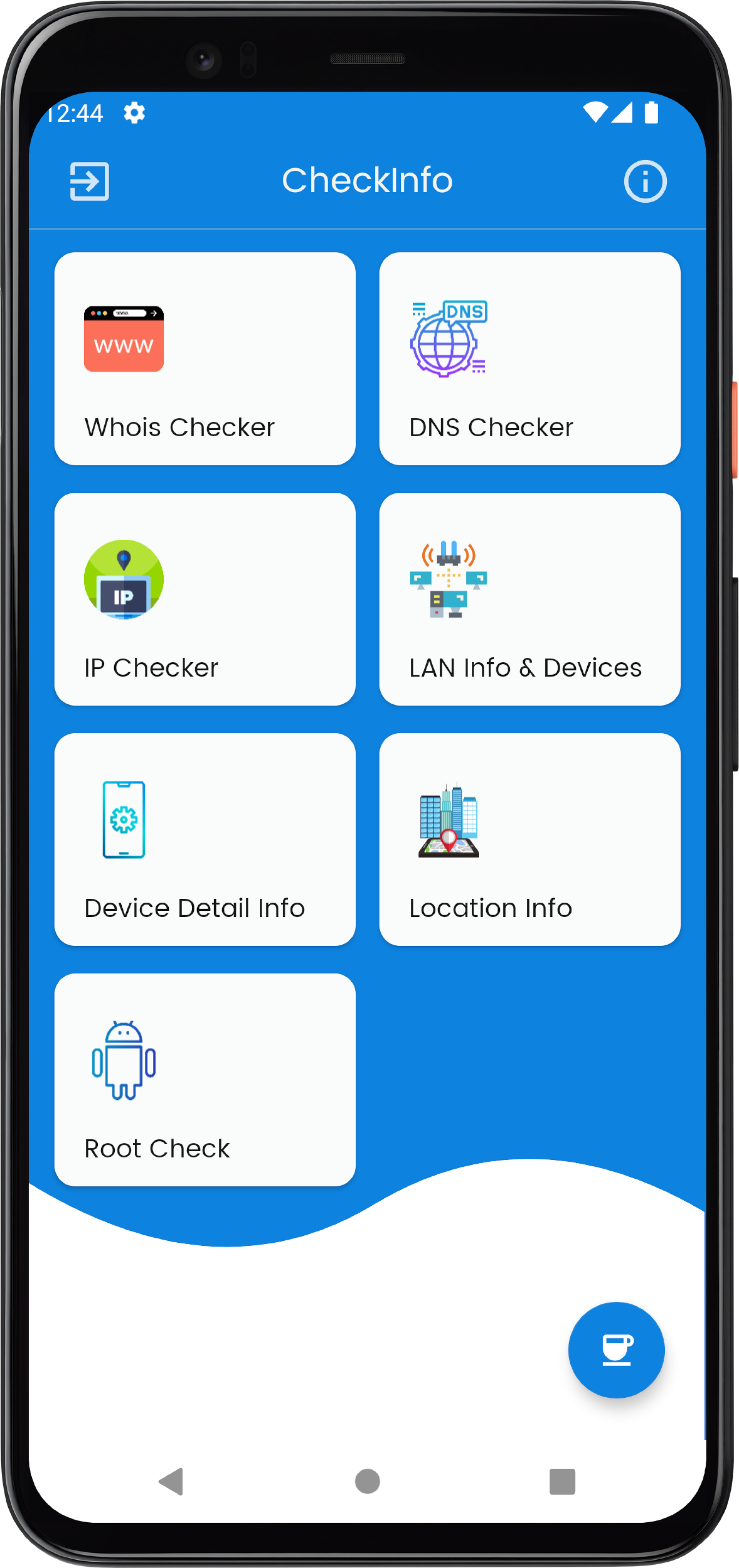
What can you do with this app?
1. You can check WHOIS record easily with the app.
WHOIS is a query and response protocol that is widely used for querying databases that store the registered users or assignees of an Internet resource, such as a domain name, an IP address block or an autonomous system, but is also used for a wider range of other information.
Detail whois result :
- Domain availability
- Domain name extension
- Domain age in days
- Domain status
- Domain created date
- Domain updated date
- Domain expires date
- Whois server
- Name servers
- Registrar name, IANAID, organization, state, country and country code
- Registrant name, email address, phone number, organization, city, state, country and address
- ICANN record
2. DNS record detail!
The Domain Name System is a hierarchical and decentralized naming system for computers, services, or other resources connected to the Internet or a private network. It associates various information with domain names assigned to each of the participating entities.
Detail DNS result :
- DNS type, name, TTL, targets, value, tag, priorities
- For SOA, name, TTL, admin, host, expire, minimum, refresh, retry and serial
3. IP address with GEO location
An Internet Protocol address is a numerical label such as 192.0.2.1 that is connected to a computer network that uses the Internet Protocol for communication. An IP address serves two main functions: host or network interface identification and location addressing.
Detail IP address or server IP result :
- IP address
- Reverse DNS IP
- Country name and country code
- Continent name and code
- District
- Region name and code
- City
- Zip
- Currency
- Latitude
- Longitude
- Timezone
- Proxy or not
- Hosting or not
- ISP name
- Organization name
- AS name, number and organization
4. Device Information
You can check the information of your device such as phone manufacturer, brand, model, RAM, display, device id, boot loader, version, and etc.
Detail device info result :
- Device name
- Manufacturer
- Brand
- Model
- Total RAM, storage space and available space
- Display, density, DPI, height and width
- Board and type
- Hardware
- Serial
- Device unique id
- Bootloader
- Radio version
- Build brand, user, host, id and time
- Android version
- Device language
- SDK version
- Fingerprint
- Battery percentage, health, technology, temperature, voltage, source, is charging or not and battery is present or not
- Advertising ID and ad tracking status
5. Device location info
To check location info, you need to give location permission to Check Info app and need to open Location (GPS). The permission will ask you when you enter Location Info in Check Info App.
Detail device location result :
- Latitude
- Longitude
- Address
- City and state
- Country code
- Postal code
6. Rooted or not
Rooting is the process of allowing users of the Android mobile operating system to attain privileged control (known as root access) over various Android subsystems.
I develop it for my usage but I uploaded it on Google Play for CSF guys like me. You can do easily all of above checking with Check Info Android application.