How to print Hello World in Java
System.out.print in Java. Learn Java programming with Alto's Blog.
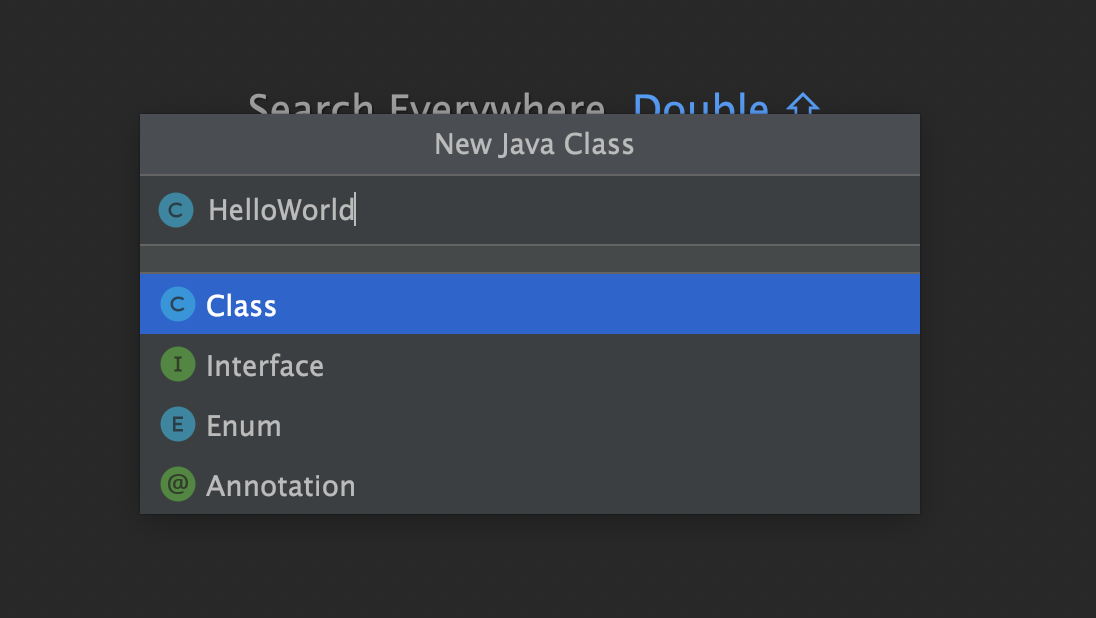
Open ide (InteliJ IDEA) or other text editor like VS code.
Click on File -> New Java Class, Type HelloWorld and save it.
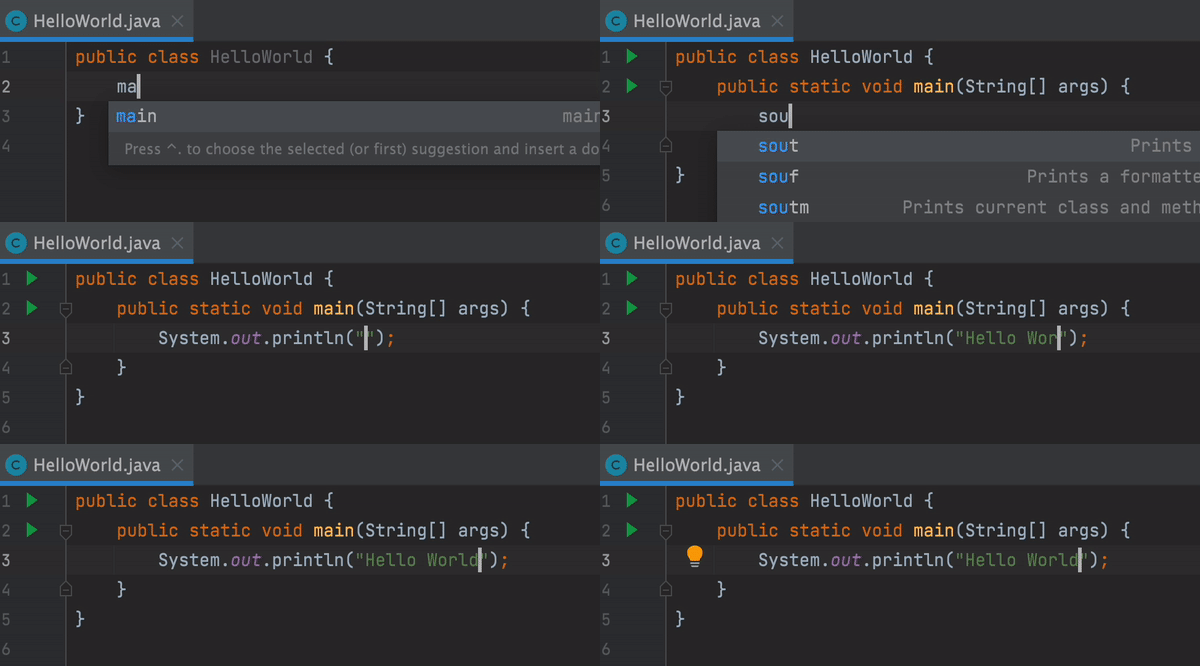
We use IDEs or text-editor (Sublime text, VS code, etc,...) to write high-level programming languages, so we must know and apply the advantages of using them.
public class HelloWorld is the class named "HelloWorld". public static void main(String[] args) is called method named "main". Remember every class names and method names should be writing in CamelCase. Class names are started with uppercase and method names are started with lowercase. We use noun in class names and verb in method names. These things are the recommended standard rules of programming. Following the rules or not is your choice. Notice : in Java, the file's name and class' name must be same.
Use System.out.print("Hello World"); to print or output "Hello World". It's calling print method from out package which is inside of System package. If you want to print "Hi", it's System.out.print("Hi");. In the codes, it's System.out.println();. The difference between print() and println() is ln which means new-line. print("Hi") method will only prints "Hi" in console but println("Hi") method will calls newLine() method after running print(). It's exercise for you to test and run print() and println(). I hope you can see the flow of printing "Hello World".
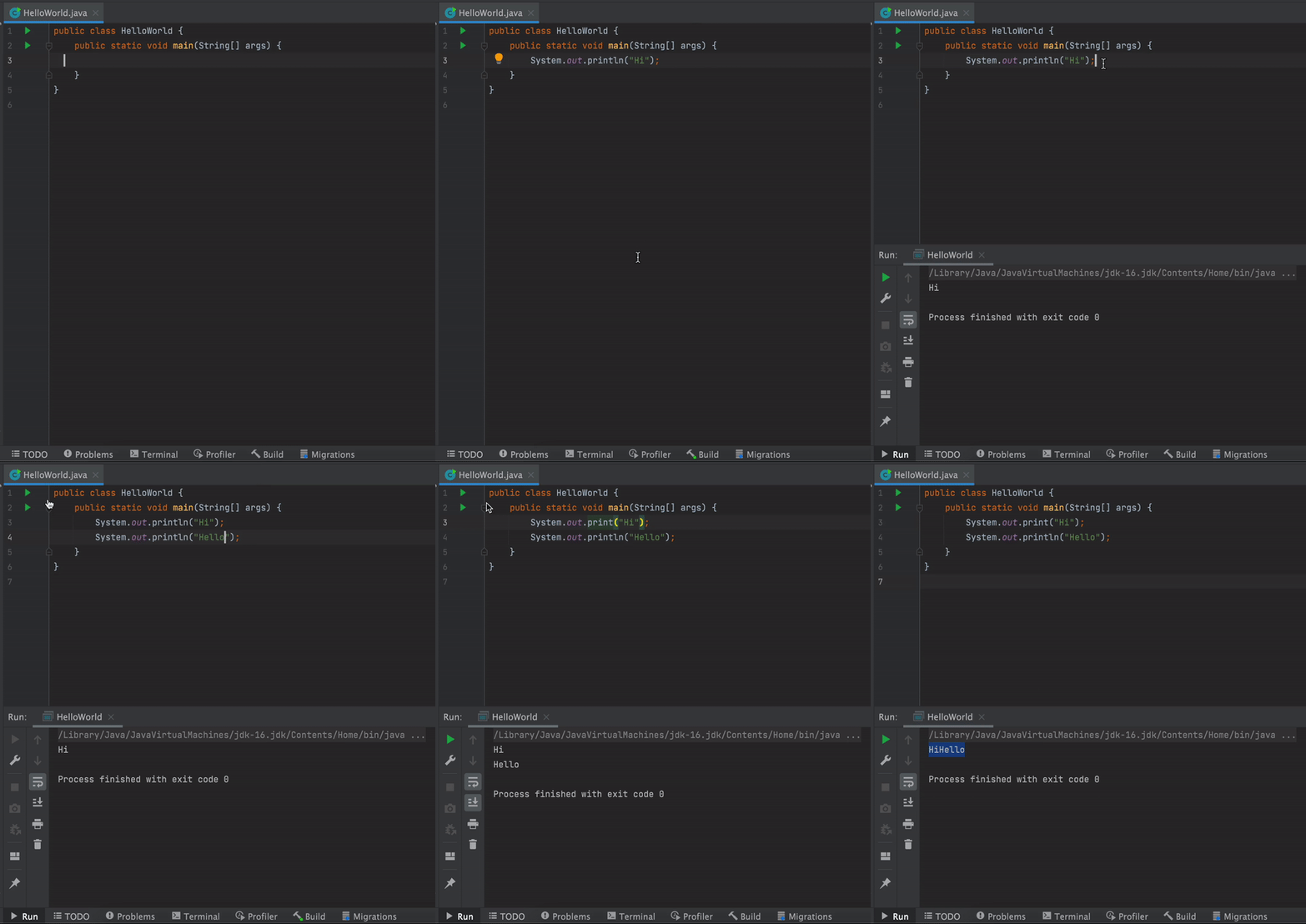
How to run HelloWorld.java
If you're using InteliJ, just click on green play button or not do the following steps:
1. open your IDE or Text Editor's Terminal (located at the bottom of screen).
2. type javac HelloWorld.java (javac is from JDK and it will compile HelloWorld.java and you'll get HelloWorld.class).
3. type java HelloWorld.java (You'll see "Hello World" in terminal console).
Happy Coding!